What you receive from GoldenOTT IPTV
Your trial or subscription is sent as three values:
- Username
- Password
- Xtream Codes URL (the server or host address)
Keep that message on your phone. You will type those three values into IBO Player Pro’s official playlist page (not into a random website). If you have not chosen a plan yet, you can request a trial first, or compare the subscription plans (6 months, 1 year or 2 years).
Why we recommend IBO Player Pro
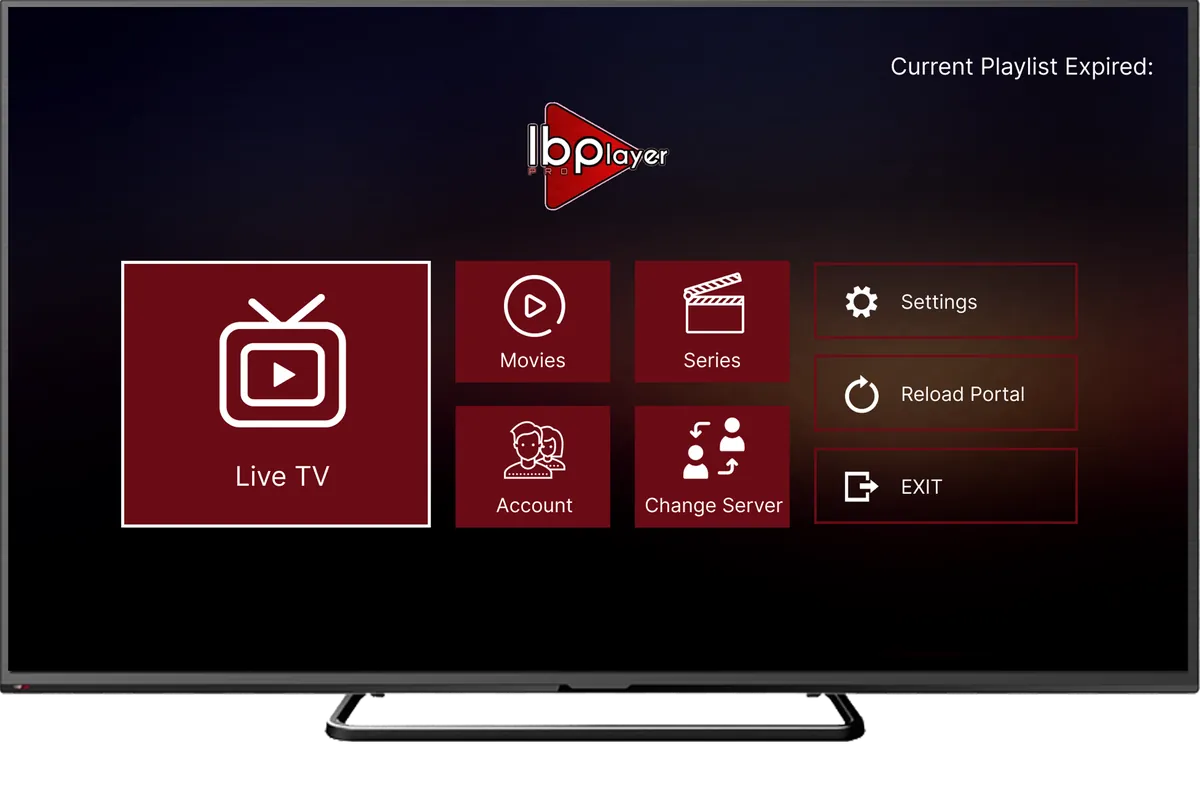
IBO Player Pro is a media player. It does not include channels of its own. You add your GoldenOTT IPTV login, and the app plays your live TV, movies and series. The official site lists the app for Android phones and tablets, Android TV and boxes, Amazon Fire TV, Samsung TV, LG TV, Roku, Windows, iPhone and iPad, and ZEASN/Whale OS.
GoldenOTT also has official server apps (Android, Windows, MAG and Enigma2) in the Apps Center. Those apps remain available. For most customers we recommend IBO Player Pro, because it works on the TVs and sticks people use most, and because you can add your Xtream login from a phone or computer. Do not confuse IBO Player Pro (from iboplayer.pro) with other similarly named apps in Apps Center, such as IBOGOLD.




Step 1: Download IBO Player Pro for your device
Use only the official site iboplayer.pro (the same site also operates at iboproapp.com). The download links and store badges below are the ones published there.






| Device | Official install source | Notes |
|---|---|---|
| Android phone, tablet, Android TV or Android box | Google Play (app ID com.ibpro.player), or the official APK | Official APK: iboproapp.com/ibopro.apk. Downloader code: 481220. Official video: install on Android TV / Android box. |
| Amazon Fire TV / Firestick | Official APK and Downloader code 481220 | The official site lists the same APK for Android and Amazon Fire TV: iboproapp.com/ibopro.apk. Official video: install on Amazon Firestick. Device-specific Fire TV tips are also in the IPTV on Firestick guide. |
| Samsung Smart TV (Tizen) | Samsung TV Apps, or the official Samsung download | Store listing: Samsung TV Apps (app ID 3202410037109). Official site download: shorturl.at/nAOUY. Official video: install from the Samsung app store. See also IPTV on Samsung & LG Smart TV. |
| LG Smart TV (webOS) | LG Content Store | Official listing: LG Content Store (app ID 1273942). Official video: install on LG Smart TV. |
| iPhone or iPad | Apple App Store | Official listing: IBO Pro Player (App Store ID 6449647925). |
| Windows | Microsoft Store, or the official Windows desktop download | Store: Microsoft Store (9MSNK97XPVRK). Official desktop file: rb.gy/8beuu. |
| Roku | Roku Channel Store | Official listing: IBO Player Pro on the Roku Channel Store. |
| ZEASN / Whale OS TVs | The official site states the app is available on ZEASN/Whale OS | No separate download URL is published on the official homepage. Follow the instructions shown on your TV or on iboplayer.pro. |

If your device is not in that list, do not install a file from a group, comment or video description. Ask us on the contact page or WhatsApp first. The general IPTV setup guide explains the other delivery methods (M3U, MAG portal, Active Code) if IBO Player is not the right fit.
Step 2: Open the app and note your MAC address and Device Key
Open IBO Player Pro once. The official playlist page asks you to log in with two values from your device:
- Mac Address — typed as shown in the app (the official form uses a format such as c8:a4:76:30:47:48)
- Device Key — a six-digit code (the official form uses a format such as 123456)
Write both down exactly, or take a photo of the screen with your phone. You will need them in the next step, and you will need them if you want us to activate and set up the player for you.
Step 3: Add your GoldenOTT Xtream login on the official website
On a phone or computer, open the official Manage Playlists page: https://iboplayer.pro/manage-playlists/list/. The page title is “Login to add your playlist”. If the app itself shows a website address, use that official address (iboplayer.pro and iboproapp.com work the same, according to the official IBO FAQ).
- Enter your Mac Address and Device Key, then choose Login.
- Choose Add XC Playlist (this is the Xtream Codes option). Use this for the username, password and server URL we send you. Add Playlist is the other option, for an M3U / M3U8 playlist URL, which you only need if we sent you an M3U link instead.
- Fill in the official form:
- Playlist Name — any name you like, for example GoldenOTT
- Playlist Host — the Xtream / server URL from your GoldenOTT message, exactly as sent (including http:// or https:// and any port number)
- Username
- Password
- Save the playlist. Then go back to the app on your TV or device and open IBO Player Pro again so the list can load.
Type every value once, carefully, with no extra space at the start or end. The host must be the GoldenOTT server address we sent, not iboplayer.pro itself (the official form rejects IBO’s own domains as a playlist host, because IBO Player Pro does not provide playlists).
Free IBO Player activation with a 1-year or 2-year plan
IBO Player Pro is a third-party app. The official IBO workflow says you activate your account through an in-app purchase in the app (there is also an Activate tab on the official site). That player activation is separate from your GoldenOTT IPTV subscription.
If you buy a GoldenOTT IPTV 1-year or 2-year subscription, IBO Player activation is included free. You do not need to pay the player yourself. Send us:
- your MAC address and Device Key from the IBO Player Pro screen, or
- a screenshot of that screen, if that is easier
We will activate the player and can also add your GoldenOTT login for you. This offer applies to the 1-year plan and the 2-year plan. It is not included automatically with a trial or a 6-month plan; ask us if you are unsure.
If you do not know how to add the playlist: install IBO Player Pro, open it, and send us a screenshot that shows the MAC address and Device Key (and, if you already have them, your GoldenOTT username and password through the official chat — do not post them on social media). We will complete the activation and the setup for you.
Send my MAC and Device Key on WhatsApp
You can also use the contact page or email contact@goldenottiptv.com. WhatsApp opens with a short reference; review the message and press Send yourself. Opening WhatsApp is not an order or a payment.
Official GoldenOTT server apps (if you prefer them)
If you would rather use a GoldenOTT server app instead of IBO Player Pro, the official catalog is appscenter.xyz. It currently lists Android apps (including GOLDEN SMART, GOLDEN PLAYER, IBOGOLD, TiviGold Box, and user/password or Active Code apps), a Windows app (GOLDEN-PLAYER), MAG device files, and Enigma2. Each Android listing includes a Downloader code on that site. Our recommended path for most TVs and sticks remains IBO Player Pro, as described above. The apps and setup methods page covers M3U, MAG and Active Code in more detail.
If the playlist does not load
- Check that the MAC address and Device Key match the app screen exactly (watch O and 0, and keep the colons in the MAC address).
- Re-enter the Playlist Host, username and password once, exactly as in your GoldenOTT message.
- Close IBO Player Pro completely and open it again.
- Confirm the device clock and internet connection. The official IBO FAQ also notes that a playlist can fail if the TV does not support the stream format, or if the device is on a different network from the one where the same login was tested.
- If it still fails, send us a screenshot of the IBO screen and the error, without publishing your password. The support pages and buffering or freezing guide can help with playback issues after the list has loaded.
Reading in French or German? The same guide is available as Installer GoldenOTT IPTV sur IBO Player Pro and GoldenOTT IPTV in IBO Player Pro einrichten.
For resellers
When a customer uses IBO Player Pro, ask them to install the official app, open it, and send a photo of the MAC address and Device Key. You can then add the Xtream login on the official Manage Playlists page, or send the customer this guide. Reseller credit packages are on the reseller pricing page.
Discuss Reseller Credits on WhatsApp
IBO Player Pro is a third-party media player published by IBO Player Pro. GoldenOTT IPTV is not affiliated with or endorsed by IBO Player Pro. Samsung, LG, Google, Apple, Amazon, Microsoft, Roku and ZEASN and their logos are trademarks of their respective owners. goldenottiptv.com is the official GoldenOTT IPTV website and is not affiliated with other domains using similar names.
Frequently asked questions
What login details does GoldenOTT send me?
Where do I add the playlist — in the app or on the website?
Is IBO Player activation free with GoldenOTT?
I do not know how to add the playlist. What should I do?
Should I use IBO Player Pro or a GoldenOTT server app?
Which devices does IBO Player Pro support?
Next step
Need help setting up IBO Player?
WhatsApp opens with a short reference. Review the message and press Send yourself. Opening WhatsApp is not an order or payment.
Choose Your Plan on WhatsApp